Can I choose which Same Day Shipping couriers I can use?
Our system allows you to prioritize your preferred couriers, helping ensure that your chosen delivery service is considered for each order. However, the system may assign a different courier based on factors like delivery location, serviceability, and other logistical considerations to ensure the fastest, most reliable delivery every time.
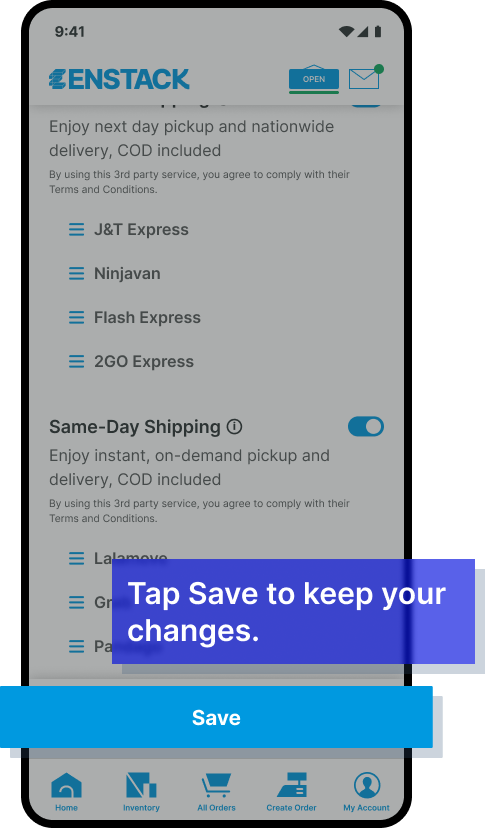
To choose which couriers to consider in prioritization, go to Shipping Settings, drag and drop couriers in your preferred order, click Save, and a success message will confirm the changes are active.
I. Navigate to the Courier List in Shipping Settings, where you can use the drag-and-drop feature to reorder couriers in your preferred priority.
II. After adjusting your settings, click Save to confirm.
III. A success message will appear, indicating that your changes have been saved and are active across both interfaces.