How to Checkout with ShopeePay/SPayLater?
Here’s how you can pay using ShopeePay / SPayLater:
Step 1: Fill out your details and review your order.
Step 2: Under
Payment Method, choose
ShopeePay / SPayLater (powered by Shopee).
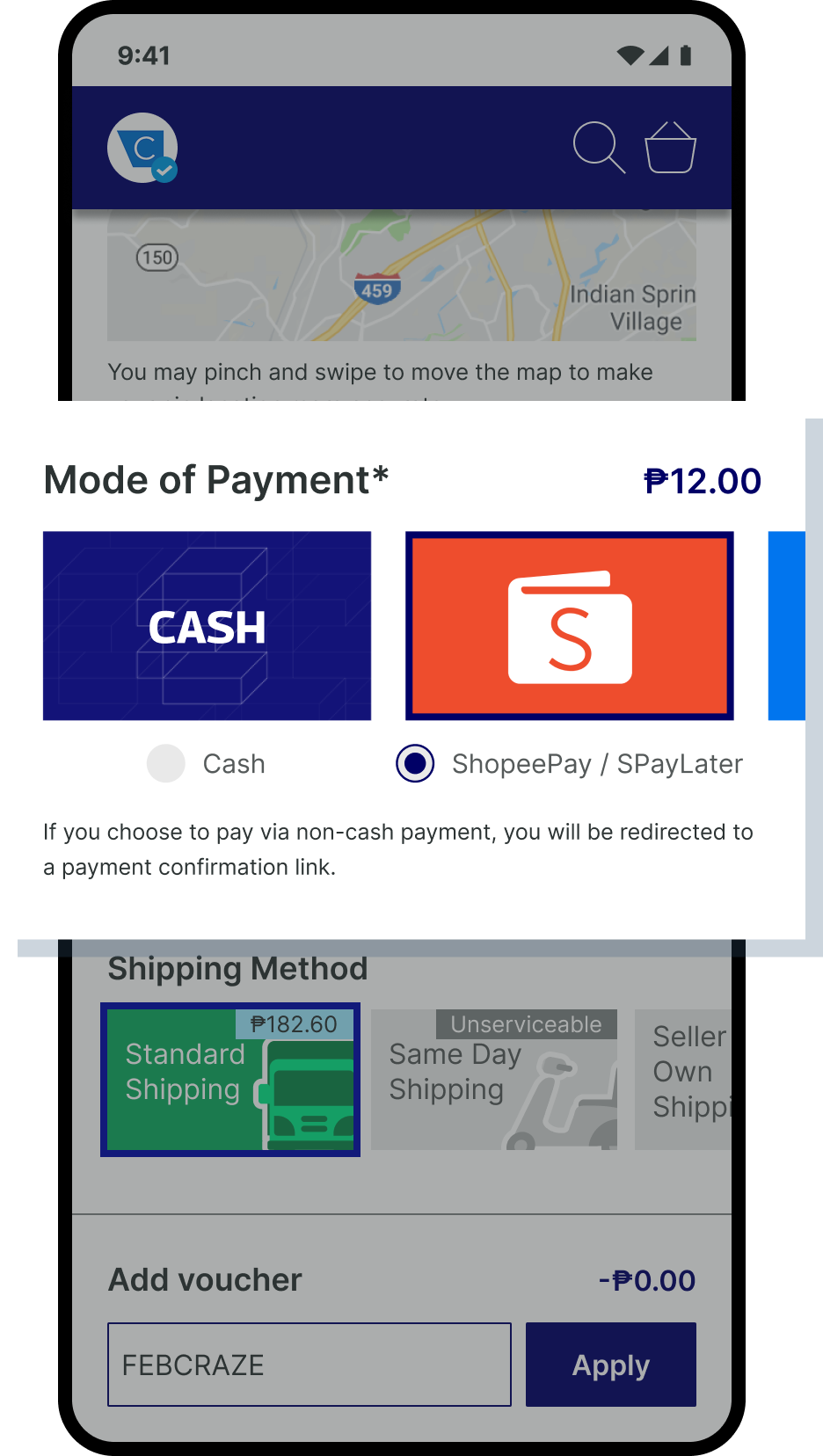
Step 3: You will be redirected to Shopee.
Log in using your Shopee account.
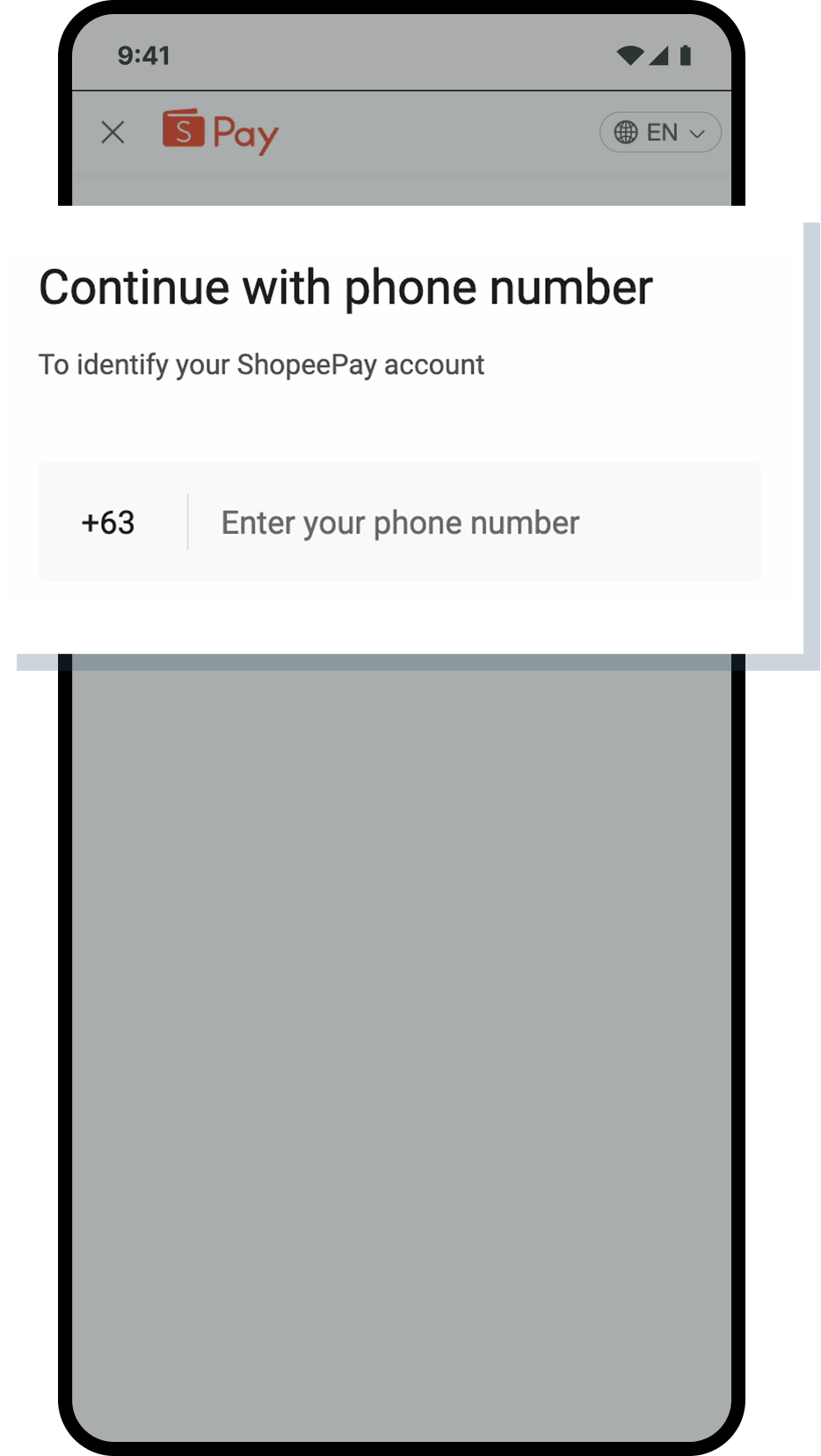
Step 4: Select
SPayLater as your payment option.
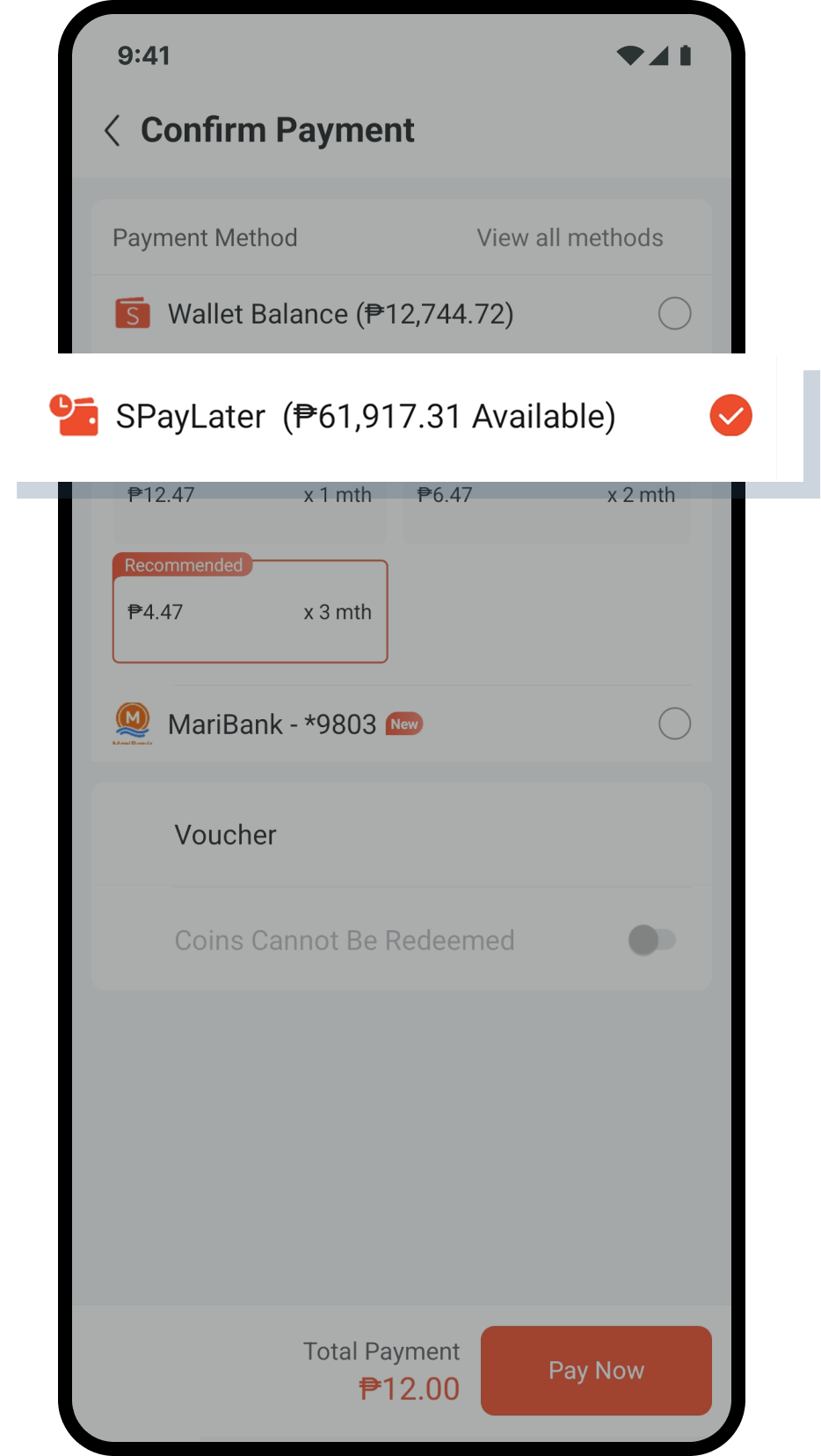
Step 5: Choose your preferred installment term (e.g., 1 month, 3 months, etc.).

Step 6: Complete the payment by confirming on Shopee.

Step 7: Wait for the confirmation page — done!


Note: SpayLater is only available through Shopee mobile app.
Related Articles
Enstack List of Fees
Seller fees charged to users starting January 15, 2026 The updated seller fees are the following: Shipping Method Charge Type Payment Method Fee Paid By Standard Shipping Confirm & Complete Fee ALL 9.5% of Net Item Price (min ₱70, capped at ₱1,500)* ...
What are the different payment methods available on Enstack?
Enstack has several payment methods available to turn on and off to give you the flexibility to offer the payment methods you prefer. For example, if you want to avoid cash handling for orders or the risks associated with COD, you can opt to turn off ...
How are Confirm and Complete fees computed?
A 9.5% Confirm & Complete (C&C) Fee will apply to all successfully completed orders starting January 15, 2026. We’ve made fees simpler for easier tracking. To help sellers better understand costs and forecast net revenue, we’ve simplified all ...
How to use QRPh as a payment option?
QRPh is a new QR-based payment option available for merchants on the Advanced Tier, automatically added alongside e-wallet and direct debit payments. It allows customers to pay by scanning a QR code using any e-wallet or mobile banking app partnered ...